AI order entry for B2B teams

AI turns chat, email, and spreadsheet orders
into clean, approved sales orders

Bring B2B orders from chat, text, email, and spreadsheets into StackCube. AI handles the order entry — item, quantity, and price candidates — so your team just reviews and approves, then exports for spreadsheets, carrier upload files, and ERP entry.

Have complex customer pricing or order formats?

Sample data included · No card required · 5-minute demo

Test while keeping your current workflow
Chat · Textorder intake
AI Cleanuporder candidates
Price Matchcustomer pricing
After approvalstatement · carrier · ERP
The Problem

Manual work starts
as soon as orders arrive

Every customer orders in their own way. StackCube turns chat, text, email, PDF, and spreadsheet orders into structured item, quantity, and price data.

01

Chat, text, and email orders are scattered by owner

When orders are split across people and channels, missed orders, duplicates, and delays follow.

02

PDF and spreadsheet orders are read and re-entered manually

Manual interpretation creates SKU, quantity, and request-detail mistakes.

03

Item names and prices differ by customer

The same item can have different customer names, prices, or special terms.

04

Statements, carrier files, and ERP entry are rebuilt after approval

Approved orders still need to be reformatted for customer documents and back-office systems.

Built for These Teams

For operations teams receiving
customer orders in many formats

If repeat B2B orders arrive by chat, text, email, files, and order pages, the operating problem is the same.

Teams receiving chat, text, and email orders

For teams that need messages and emails organized into one review queue.

  • Reduce missed orders by person or channel
  • Keep channel history tied to each order

Distributors receiving Excel and PDF order forms

For teams that need to read different customer formats and turn them into order candidates.

  • Convert files into order details
  • Process file orders in the same flow

Teams managing customer pricing and carrier files

For teams with customer-specific prices, special terms, and recurring carrier upload work.

  • Check customer-specific pricing during order review
  • Reduce carrier CSV preparation after approval
Use Cases

The same order problems repeat
across many B2B industries

Different industries, similar ordering structure. If your team receives repeat customer orders, StackCube can fit your workflow.

Apparel · Fashion
Frozen · Chilled Foods
Food Service · F&B
Cosmetics · Beauty
Fire Safety · Industrial
Electronics · IT Parts
Consumer Goods
Building Materials
Order Channel Management

Review orders from different customer channels
under one standard

Some customers order by chat, others by text, email, PDFs, spreadsheets, or a dedicated order page. Intake channels can differ while AI cleanup, SKU and price review, approval, and carrier CSV export follow the same standard.

Unified order intake screen showing review and processing states for AI-organized order candidates
How It Works

Manage intake, AI cleanup, approval,
and follow-up from one order record

StackCube turns chat, text, email, PDF, spreadsheet, and order-page orders into structured item, quantity, and price data. Admins review AI-prepared candidates before approval.

Multi-channel IntakeAI Cleanup · MatchApprove · Follow up
Order Intake 3
Chat · Text · Email · Excel · PDF
Order Intake Hub
CapturedAI CleanupExceptions
Chat order Captured
Excel/PDF Extracted

Chat, text, and email order intake

  • Collect chat, text, and email orders
  • Process PDF and spreadsheet files
  • Keep originals with each order
AI Order CleanupAdmin
ReceivedAI CleanupReviewDone
ChannelCustomerOrder LinesStatus
ChatNorthstar Retail12 linesCleaned
TextSummit Supply5 linesReview
ExcelRidge Materials8 linesParsing

AI order candidate cleanup

  • Extract items, quantities, and requests
  • Flag items for human review
  • Compare originals with AI results
Match ResultsCandidate Match
Customer Check89
SKU Candidate67
Price AppliedAuto
CustomerSKUPriceStatus
Northstar RetailA001$13.50Matched
Summit SupplyB214$14.25Review

Customer, SKU, and price matching

  • Match customer item names to SKUs
  • Apply customer and tier prices
  • Flag SKU or price exceptions
Leave only the orders that need admin confirmation
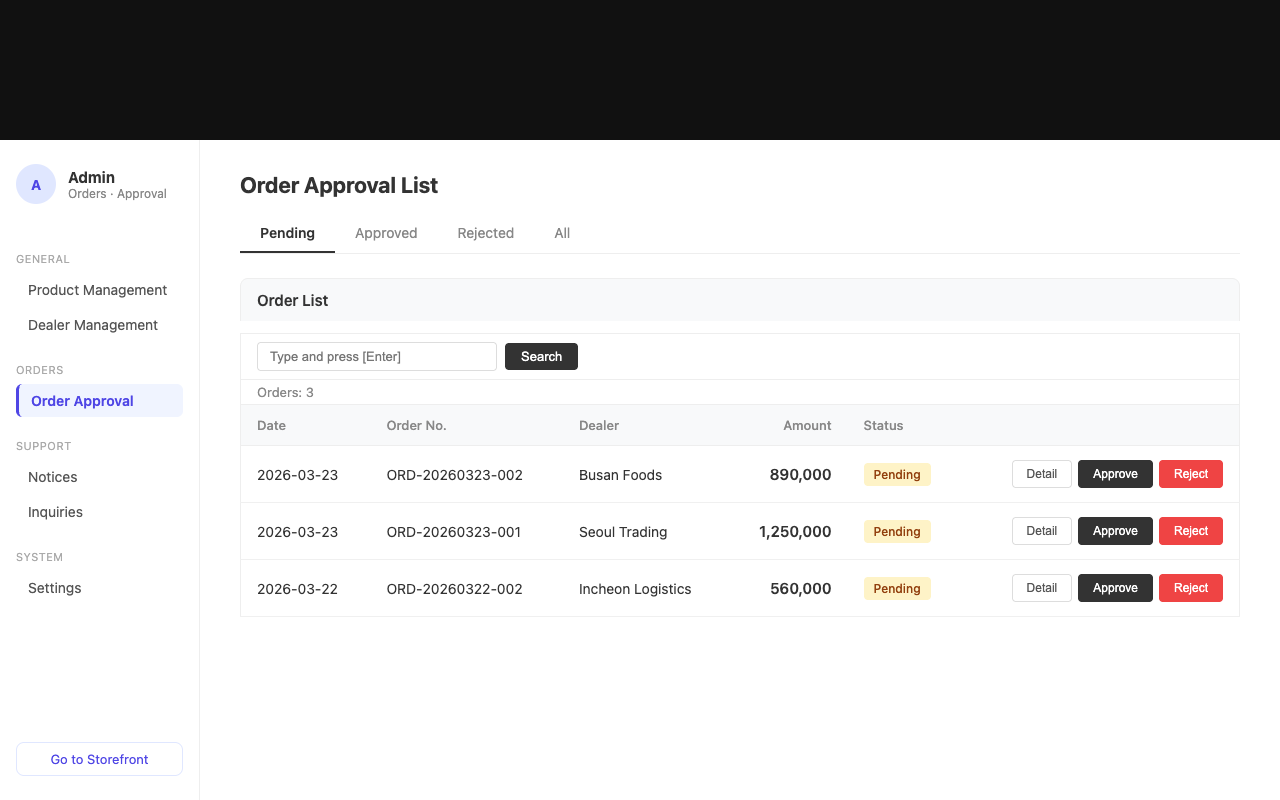
Approval Review
6 Need ReviewApprove Orders
CustomerIssueAction
Northstar RetailDuplicateApprove
Summit SupplyPrice checkHold
Ridge MaterialsSKU unmatchedEdit

Approve or reject orders

  • Approve after SKU and price checks
  • Hold duplicates or missing details
  • Save status and owner history
Order HistoryStatus
CustomerStatusHistory
NorthstarApprovedHistory saved
SummitNeeds reviewOwner check
RidgeEditedReapproval
Approved OrdersSaved
Needs ReviewFlagged
Repeat OrdersTracked

Order status and history

  • Save approved orders by customer
  • Manage needs-review and approved states
  • Support repeat-order follow-up
After ApprovalWorkflow
Approved48
Next steps3
RuleSaved
TaskDeliveryTargetStatus
StatementLink · SMSCustomerIssued
Carrier CSVCSVShippingReady
ERPAPISupported ERPCheck

Work after approval

  • Create and deliver customer statements
  • Generate carrier and saved custom CSV formats
  • Send approved orders to supported ERP menus
Expected Results

After adoption, original orders
and approvals follow one standard

Customer channels can differ while your team reviews orders organized by item, quantity, and price.

Original Order Records

Orders and approvals are organized under one standard no matter which channel customers use.

Scattered channels → Structured records

AI Order Cleanup

Messages and files become item, quantity, and request candidates.

Unstructured → Candidates

Fewer Pricing Errors

Customer pricing and special terms are checked during order review.

Manual checks → Candidate match

Approved-Order Handoff

Reuse approved orders for statements, carrier CSV files, and supported ERP transfers.

Approval → Statement · Carrier · ERP
ROI calculator

Estimate savings from monthly order volume

Estimate the operating cost spent retyping and preparing B2B orders from chat, email, spreadsheets, and PDFs.

Monthly orders1,500 orders

Based on 6 minutes of manual work per order and $18/hour labor cost.

Repetitive work hours150 hrs

Monthly manual work time based on 6 minutes per order

Current repetitive work cost1,500 orders × 6 min ÷ 60 × $18$2,700
Estimated savings$2,700 - $239$2,461
Suggested planGrowth · $239/mo
Self-Diagnosis

How many order cleanup tasks
still happen manually?

Use this to check whether the bottleneck is order volume or the work needed to turn orders into usable data.

0 / 6

There is room to reduce order cleanup work. View the sample demo to see how orders become item, quantity, and price candidates.

Open a workspace with sample data and see the order queue immediately

Why StackCube

Channel-by-channel work,
general ERP, and StackCube

General ERPs are strong for internal operations, but pre-entry cleanup of customer orders is usually separate. StackCube handles order originals, AI item, quantity, and price candidates, review and approval, and the next steps after approval.

Channel-by-channel workStackCubeGeneral ERP
Order IntakePeople check each channelChat, text, email, and order pages feed into one screenManual ERP entry
Order CleanupMessages and files interpreted manuallyAI order and SKU match candidatesPre-entry work is separate
PricingChecked in spreadsheetsCustomer pricing and special prices appliedCompany-wide setup needed
Review FlowIntake, review, and approval splitOnly orders needing confirmation are approved or rejectedPost-entry processing
After ApprovalStatements and shipping files rebuilt manuallyStatements, carrier CSV, and supported ERP transferSeparate post-entry work

Want to review the flow before signing up? Open the sample workspace first

Pricing

Start with the order cleanup
you need

Start with a 30-day free trial, then choose a plan based on monthly order volume. AI cleanup and customer pricing start in Starter, with dedicated order pages and custom carrier formats available as operations grow.

STARTER

Starter

From $79/mo

For teams starting small

  • 30-day free trial
  • Based on 500 orders/mo
  • AI order candidate cleanup
  • Customer and special pricing
  • Carrier CSV download
GROWTHRecommended

Growth

From $239/mo

For teams with repeat orders

  • Everything in Starter
  • Based on 1,500 orders/mo
  • Dedicated order page
  • Repeat-order customer management
  • Order history management
SCALE

Scale

From $479/mo

For many channels and customers

  • Everything in Growth
  • Based on 3,000 orders/mo
  • Custom carrier formats
  • Operations automation consultation
ENTERPRISE

Enterprise

Custom

For integration-heavy operations

  • Everything in Scale
  • High-volume order terms
  • ERP/API integration consultation
  • Multi-entity permissions
  • Dedicated onboarding support
Onboarding Process

From free trial
to live order operations

01

Explore Sample Workspace

Open a sample order queue with customers, SKUs, and pricing ready.

Instant
02

Start Free Trial

Choose the channels and order formats you want to test for your company.

Day one
03

Setup Consultation

Align customer count, pricing rules, order forms, and carrier file requirements.

30 min
04

Go Live

Process real orders and tune exception rules with your team.

1–2 weeks
FAQ

Common questions
before getting started

Check these key points before booking a consultation.

Consultation

Discuss the right setup
for your order workflow

Share your customer count, order channels, order formats, and how you enter orders into spreadsheets or ERP. We will recommend the right StackCube setup.

Fast responseSample-data walkthroughSetup support